
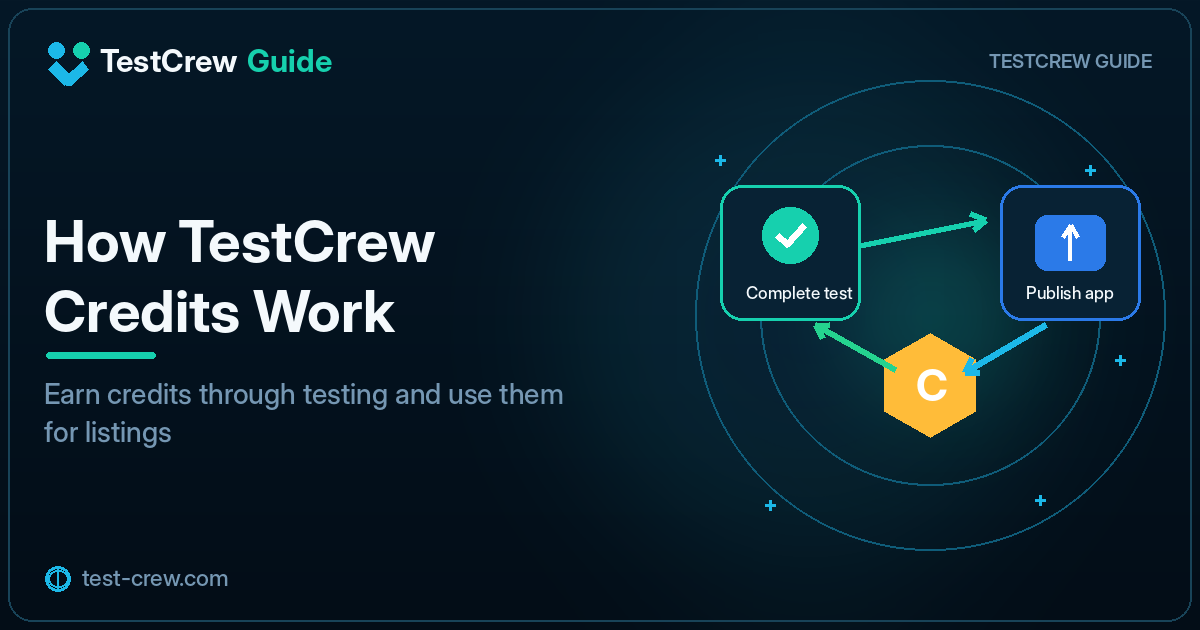
TestCrew uses credits to circulate testing participation among app developers.
The basic idea is simple: contribute by testing other apps, then use the credits you earn to recruit testers for your own app.
Why the credit system exists
If every independent developer only posts a tester request, the platform can quickly run short of participants.
The credit system encourages the following cycle:
- Find an app that is recruiting testers
- Review its participation conditions
- Join the Google Play closed test
- Actually use the app
- Complete the required report or feedback
- Earn credits
- Use those credits for your own listing and recruitment
Check the current conditions before testing
Conditions may differ between listings and may change as the service is updated. Always check the latest information shown in the app.
Confirm:
- Target operating system
- Google Play participation requirements
- Testing period
- Features to check
- Completion-report method
- Return-testing conditions
- Credit-award conditions
Opening a link or installing the app alone may not satisfy the completion requirements.
Basic testing procedure
1. Read the listing
Review the app’s purpose and requested test items. Do not participate if your device does not meet the listed conditions.
2. Confirm the Google account
Use the same Google account for the opt-in page and the Google Play Store.
3. Opt in and install
Open the participation link provided in the listing, join the test, and install the app from Google Play.
4. Use the requested features
Check the actions specified by the developer, such as registration, sign-in, saving, editing, or restoring data.
5. Report the result
When a problem occurs, include the device, Android version, and reproduction steps. When no problem occurs, still state which functions you checked.
How to use credits
Credits you earn can be used when recruiting testers for your own app.
Prepare the following information before listing the app:
- App name
- Google Play URL
- Supported Android versions
- Short app description
- Actions testers should check
- Required permissions or test account
- Recruitment period
See How to Publish Your App on TestCrew for the listing procedure.
When your balance does not match expectations
Check the following:
- Whether the test has reached its completed state
- Whether you submitted the required report
- Whether confirmation by the listing owner is still pending
- Whether the same test was counted twice in your own records
- Whether credits have already been used for a listing or recruitment
- Whether the current in-app award and consumption conditions have changed
Credit amounts and detailed conditions may change with service updates. Prefer the current in-app display over fixed numbers quoted in an article.
Avoid superficial testing performed only for credits
Credits are intended to encourage real testing.
The following actions do not provide useful results to the developer:
- Never launching the app
- Ignoring the requested checklist
- Failing to report a problem
- Leaving the test immediately
- Sending the same generic sentence for every app
At minimum, use the core functions specified in the listing.
Example feedback
Tested on Pixel 8 / Android 15.
Registration, sign-in, data saving, and restoration after restart worked normally.
The completion indicator after saving was small, so it was slightly difficult
to tell that the operation had finished.
Credits and return testing are different
Credits and return testing are related, but they are not necessarily the same thing.
- Credits: track contribution and the ability to use recruitment features in the service
- Return testing: tracks the relationship in which you test the app of someone who joined your listing
See How Return Testing Works in TestCrew for return-testing status management.
Tips for managing credits
Confirm the requirement before listing
Check the current required amount and your available balance before publishing a listing.
Keep a participation record
| App | Joined | Items checked | Report | Credit status |
|---|---|---|---|---|
| App A | Aug 3 | Registration, save | Sent | Awarded |
| App B | Aug 4 | Sign-in | Sent | Pending |
Do not accept too many tests at once
Joining many tests simultaneously makes it easier to forget continued participation, update checks, or required reports.
Summary
The TestCrew credit system creates the following cycle:
Contribute to another app
→ Earn credits
→ List and recruit for your own app
→ Receive tester participation and feedback
Do not treat credits as the only objective. Real feature checks and specific feedback improve the quality of testing for the entire developer community.
Continue reading
Related guides
TestCrew
Find testers through mutual testing
Test other Android apps, provide useful feedback, and use earned credits to recruit testers for your own Google Play closed test.
Learn how TestCrew works