
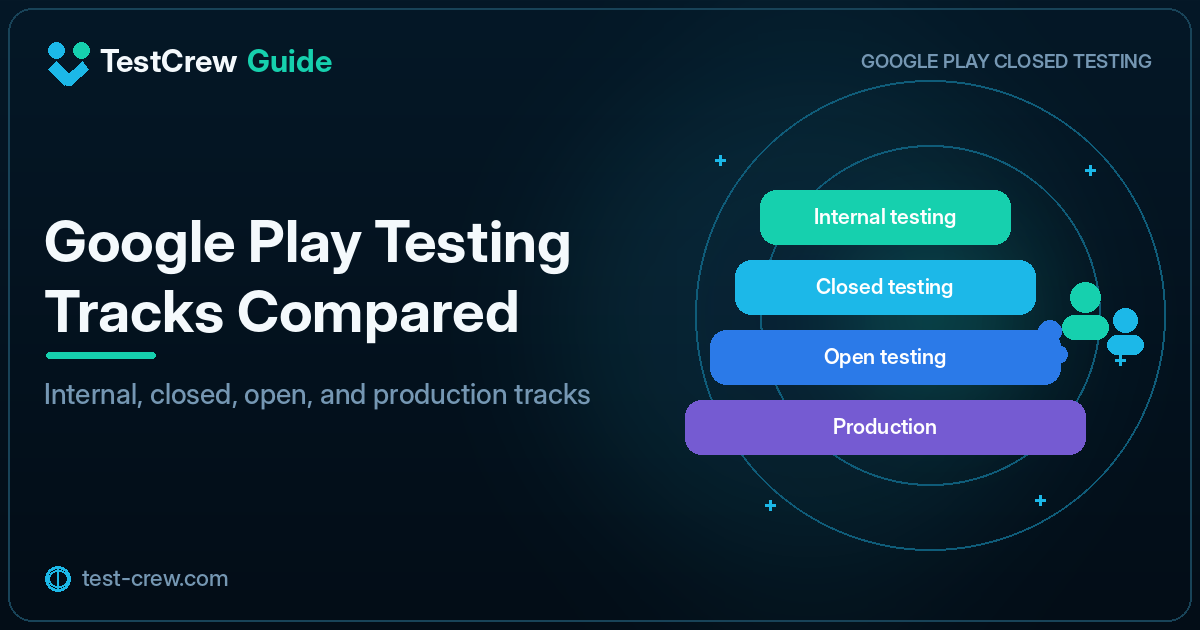
Google Play Console provides several testing tracks for distributing an app before its production release:
- Internal testing
- Closed testing
- Open testing
Each track has a different audience and purpose. Do not choose a track simply because it supports more testers. Select the track that fits the current development stage.
Quick answer
- Internal testing: Up to 100 testers. Best for early QA and fast distribution. It is not a substitute for the 12-tester, 14-day requirement.
- Closed testing: Pre-release validation with testers you select. For affected new personal developer accounts, at least 12 testers must stay opted in for 14 consecutive days before applying for production access.
- Open testing: A public beta that a broad audience can join. For affected new personal developer accounts, open testing becomes available after you obtain production access.
- Production: Meet the closed-testing requirement, apply for production access, and publish production releases once access is granted.
“Affected new personal developer accounts” means the personal accounts to which Google’s current testing requirement applies. Organization accounts and older accounts have different conditions.
Comparison table
| Item | Internal testing | Closed testing | Open testing |
|---|---|---|---|
| Main audience | Developers, team members, and a small group | Testers selected by the developer | A broader group of users who choose to join |
| Main purpose | Fast release verification | Limited real-world testing | Large-scale pre-release testing |
| Participant management | Specified tester list | Email lists, groups, or other eligible tester settings | Public opt-in |
| Search and visibility | Private | Restricted | More broadly available |
| Best stage | Early development and frequent updates | Quality validation before release | Public beta and broad validation after obtaining production access |
| Relation to production access requirement | Not a substitute for the 12-tester, 14-day requirement | Required before applying for production access on affected accounts | Available after obtaining production access on affected accounts |
What is internal testing?
Internal testing is useful for distributing builds quickly to a small group of people involved in development.
Common uses
- Confirming that an AAB can be installed correctly
- Checking Firebase and sign-in in a release build
- Testing billing licenses
- Confirming updates through Google Play
- Performing a final check before closed testing
Advantages
- Frequent updates are easy to test
- The developer can verify the Google Play-distributed build on a real device
- The distribution scope remains narrow
Limitations
A successful internal test does not prove that the app has been tested thoroughly under conditions close to those of ordinary users.
Use closed testing to evaluate a wider range of devices, network conditions, and first-time-user behavior.
What is closed testing?
Closed testing distributes the app only to testers selected by the developer.
Common uses
- Meeting the 12-tester, 14-day requirement when it applies
- Testing with people who resemble actual users
- Collecting structured feedback
- Checking multiple devices
- Improving the app before applying for production access
For affected new personal developer accounts, a closed test is required before applying for production access.
What is open testing?
For affected new personal developer accounts, open testing becomes available after you obtain production access.
Open testing allows a broader group of users to join the test as a public beta.
Good use cases
- Checking load and compatibility with more participants
- Reaching a wider audience after obtaining production access
- Offering an ongoing beta version
- Collecting a larger volume of feedback
Preparation required
Because participation is broader, prepare:
- A privacy policy
- A support contact
- Stable sign-in and data storage
- Guidance for known issues
- Removal of confidential information and test-only data
A recommended release sequence
For affected new personal developer accounts, open testing is an optional step, not a required stage.
1. Local development and emulators
Test basic functionality, run automated tests, and debug problems.
2. Internal testing
Verify the release build distributed through Google Play.
3. Closed testing
Distribute to selected testers and collect real-world issues.
4. Apply for production access
Meet the closed-testing requirement, then apply for production access.
5. Open testing if useful after access
Once production access is granted, use open testing only when a broader beta is useful.
6. Production
Review test results and policy readiness before publishing.
Using the same app across multiple tracks
When you operate more than one track, manage versionCode carefully.
Google Play delivers the highest compatible versionCode among the tracks that the user is eligible to receive.
A closed tester, for example, is eligible to receive both Production and Closed testing:
Production: versionCode 50
Closed testing: versionCode 48
The closed tester receives Production 50.
When the closed track has the higher versionCode, the closed-testing build is delivered:
Production: versionCode 50
Closed testing: versionCode 52
The closed tester receives Closed 52.
Internal testing is different
A user who opts in to Internal testing is not eligible to receive Open or Closed testing releases, even if that account is included in those tester configurations.
Do not compare Internal vs Closed/Open using the ordinary “highest versionCode wins” rule.
When a tester says that a closed-test update is not appearing, check why a closed-test version is not updating.
Record which track received each release
Keep the following information for every release.
| Item | Example |
|---|---|
| versionName | 1.3.0 |
| versionCode | 43 |
| Track | closed-alpha |
| Release date | 2026-08-03 |
| Changes | Fixed sign-in error |
| Target testers | Android 12–16 |
When you use CI, keep a clear relationship between the build artifact and the track to which it was published.
Common misunderstandings
Can I use 14 days of internal testing instead?
The production-access requirement specifies a closed test for the affected app. Do not assume that internal testing can replace it.
Is a closed test publicly visible?
Eligible testers join through the participation URL. A closed test is not publicly released in the same way as a production app.
Can open testing skip the 12-tester, 14-day closed test?
For affected new personal developer accounts, no. First meet the closed-testing requirement and apply for production access. Open testing becomes available after you obtain production access.
Summary
- Internal testing: Fast verification primarily for developers; not a substitute for the closed-testing requirement
- Closed testing: Pre-release validation with selected testers, required before applying for production access on affected accounts
- Open testing: Broader beta testing, available after production access is granted on affected accounts
Instead of sending an unverified build directly to closed testing, first confirm the release build through internal testing. This reduces the chance that participants become blocked by a basic installation or sign-in problem.
For the setup procedure, see how to set up a closed test in Play Console.
Primary sources
Official references
- Google Play Console Help: Set up an open, closed, or internal test
- Google Play Console Help: App testing requirements for new personal developer accounts
Check the linked official documentation before a production release.
Continue reading
Related guides
TestCrew
Find testers through mutual testing
Test other Android apps, provide useful feedback, and use earned credits to recruit testers for your own Google Play closed test.
Learn how TestCrew works